AI for Coding

Day 1: Core AI concepts

Distributional Impact of Policies. Fiscal Policy and Growth Department

2026-04-20

Integrated Development Environment (IDE)

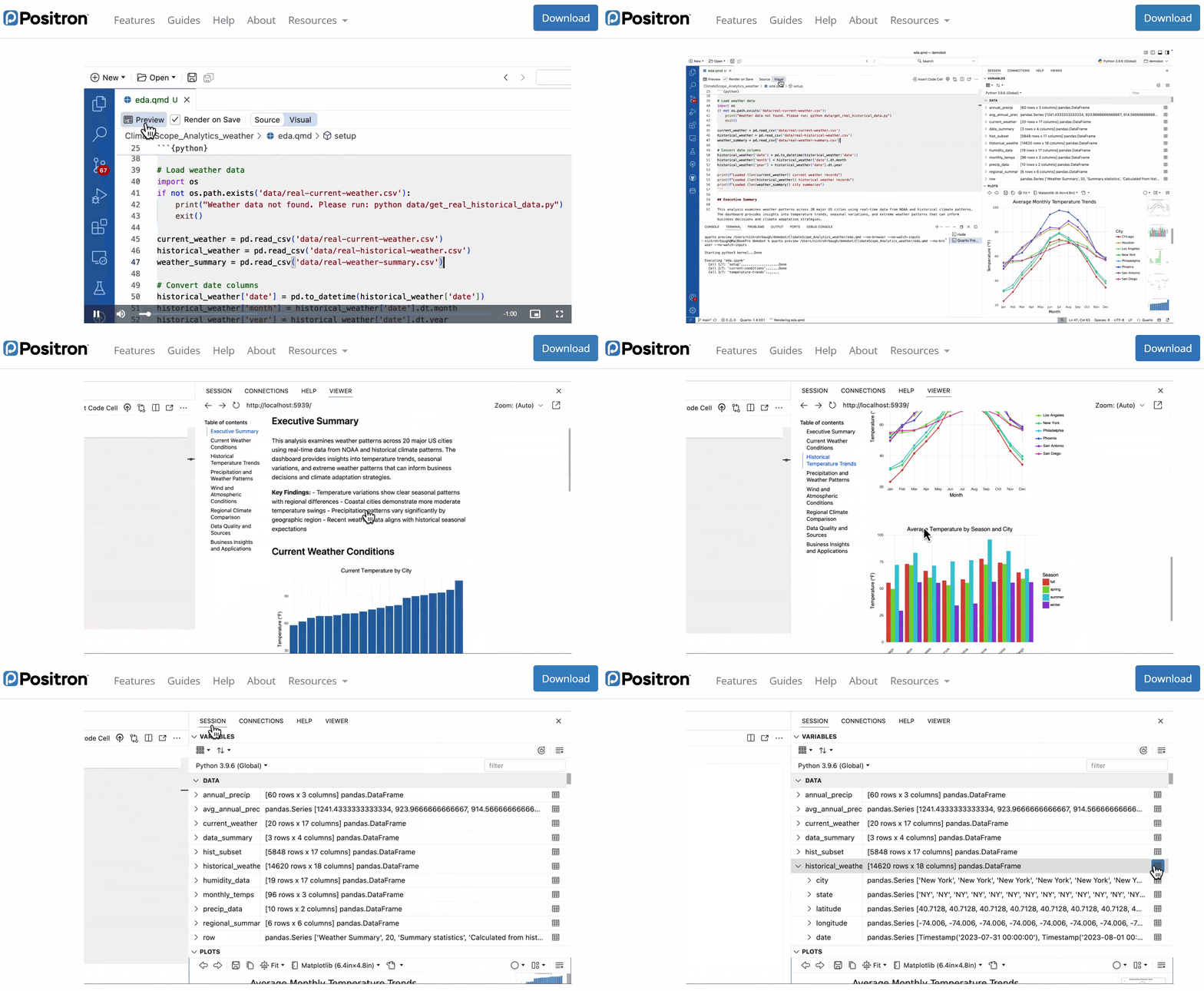
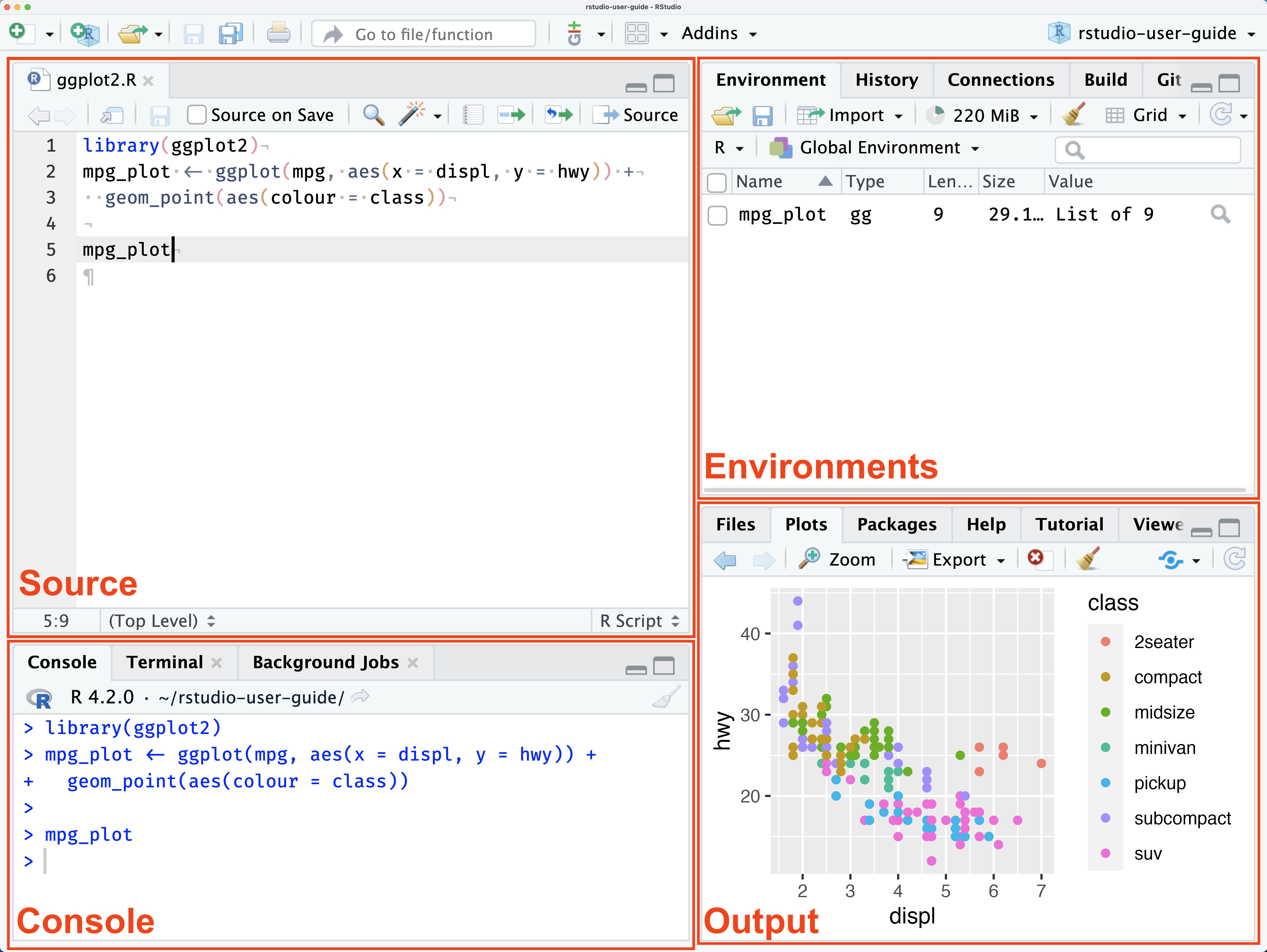
An IDE is the workspace for coding and executing data analysis:

  • a code editor
  • a console / terminal
  • project navigation
  • testing/debugging
  • Git and extensions
  • AI assistance and more…

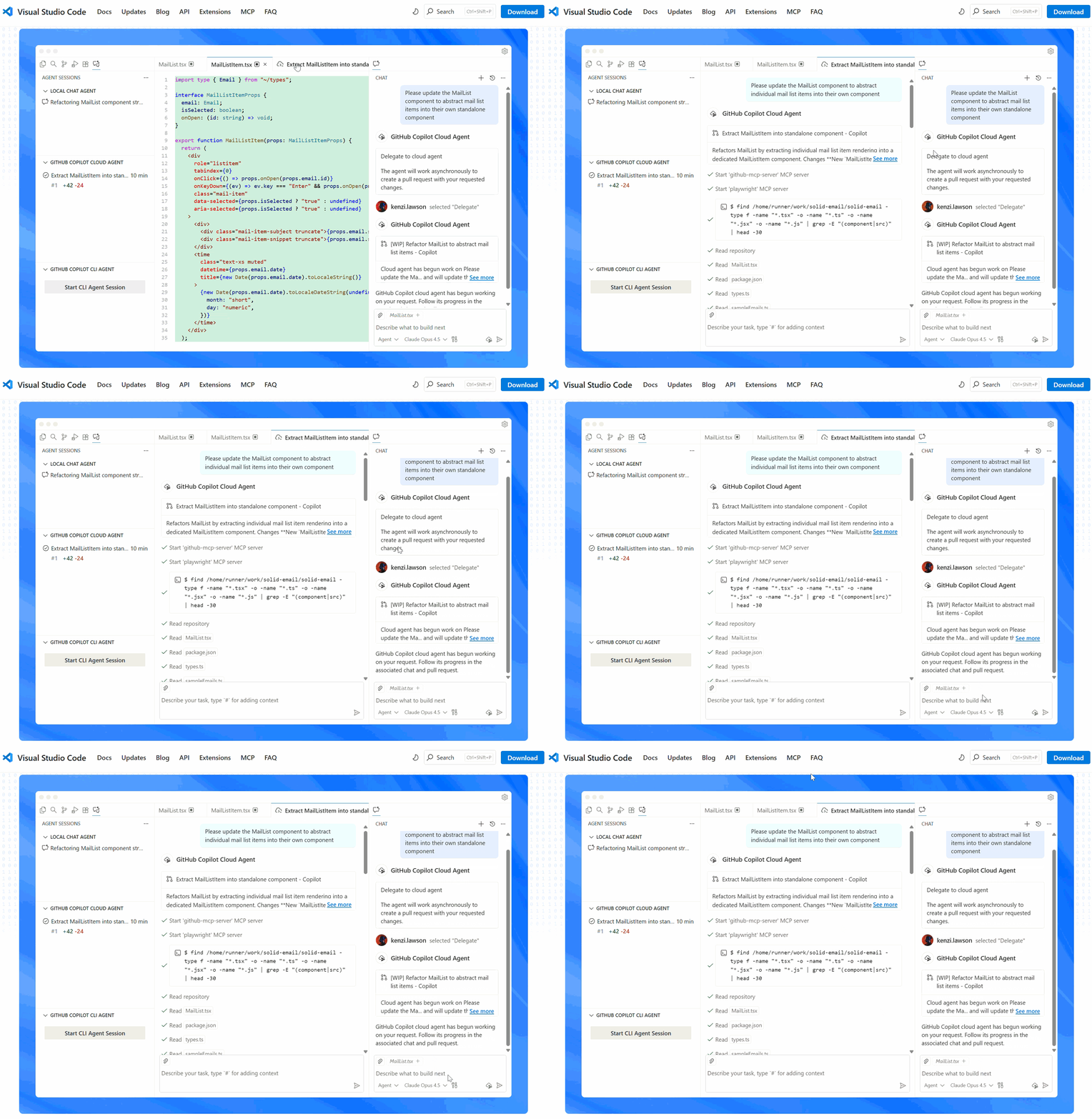
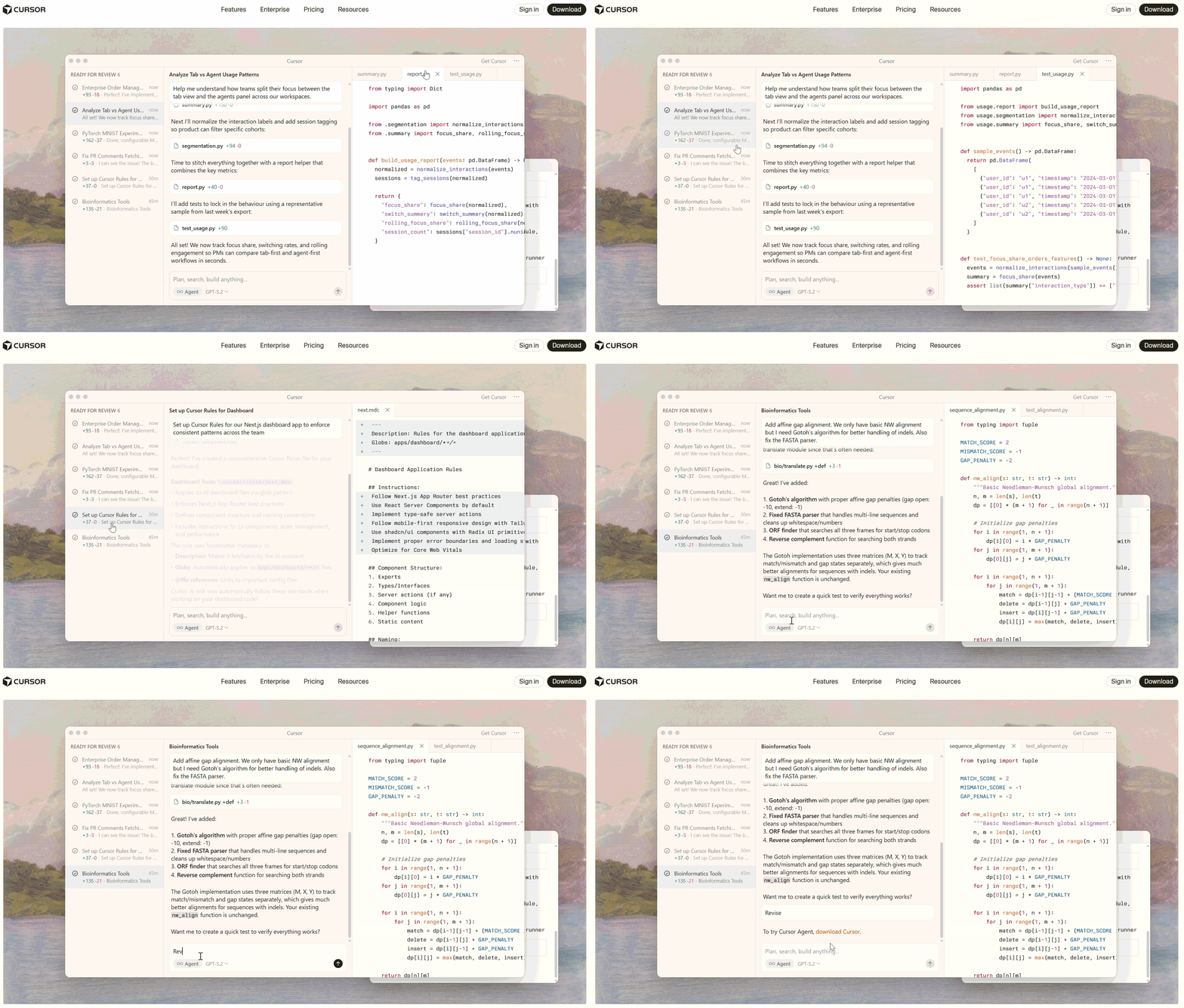
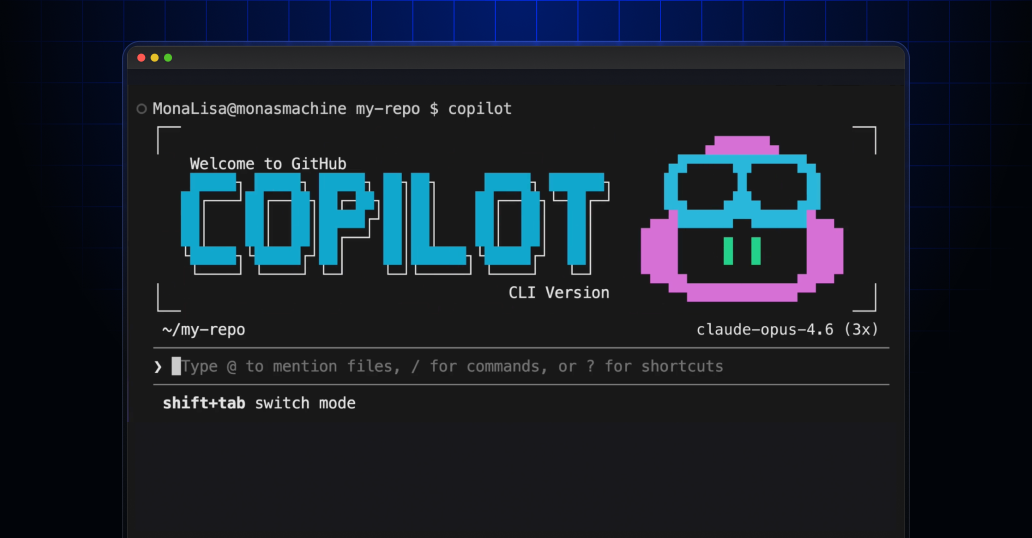
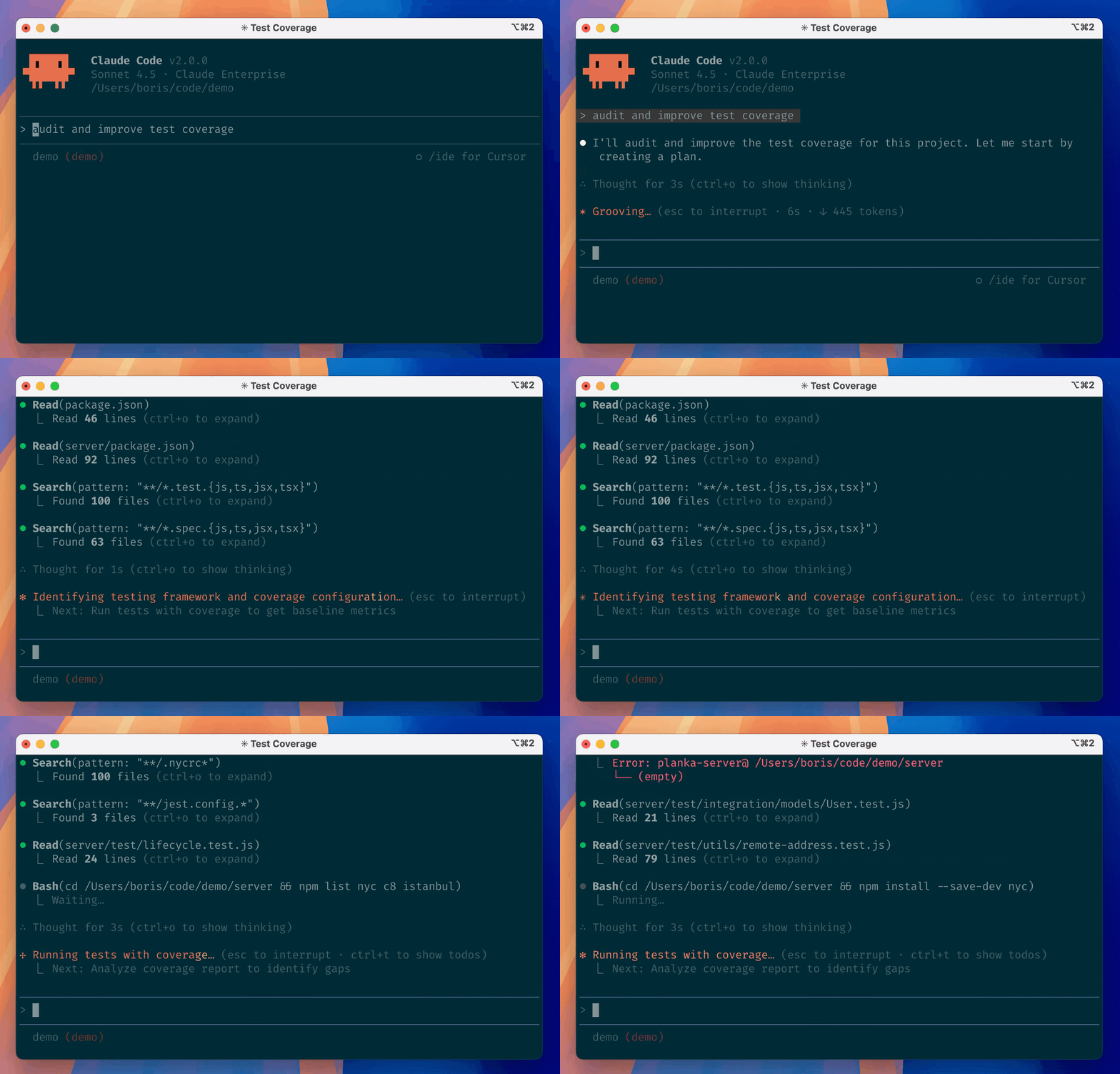
There are many IDEs, both with user interfaces (UIs) and as command-line interfaces (CLIs).

Most are made for programming. Positron, RStudio, and JupyterLab β€” for data science.

User-IDE-Assistant: workflow intuition

  • πŸ’» Code, data, and analysis stay inside the IDE on the user’s computer.

  • Positron Assistant works in the IDE as a middleman that connects the user, IDE, and cloud-based AI services.

  • GitHub Copilot is a cloud-based AI orchestrator: coordinates the assistant and LLMs, submits prompts to the LLMs, and pre-processes responses before sending them back to the assistant.

  • πŸ”’ The LLM:

    • ingests the prompt as text,
    • converts it into tokens,
    • embeds tokens as numeric vectors,
    • performs inference to generate a tokenized response, decodes tokens, and
    • responds back to the assistant.
  • βœ… The user controls and decides whether to accept, edit, or reject the suggested code.

Context

  • 🧠 Context is key for accurate AI responses.
  • Every message, file, and code snippet adds to the context.
  • πŸ”§ Context is assembled by the IDE cumulatively.
  • πŸ“ Size is measured in tokens.
  • Context has layers: system prompt (hidden instructions that steer the LLM’s behavior in Copilot and Positron) vs. user prompt (your visible messages and attached files).

Be mindful of context size and content.

⚠️ LLMs have a maximum context window (4k–2M tokens) β€” exceeding it leads to information loss.

Context saturation

  • ⚠️ When the context window fills up, old context is pushed out, causing information loss and reduced quality.

  • πŸ—œοΈ Assistants may compress context via LLM summarization β€” but this is suboptimal: key details can be lost.

Best practices:

  • πŸ“ Explicitly attach only relevant files.
  • πŸ”„ Start a new session often.
  • πŸ“ Ask AI to summarize the conversation in a file to preserve key context, curate it, and use it as a starting point for the new conversation.
  • βš™οΈ Use system instructions, prompt files, and skills (Day 2).

IDE + AI assistant: data risks

  • πŸ’Ύ Data/secrets in console β†’ context exposed to model

  • πŸ“‚ LLM may include data files (csv, json, txt) β†’ data exposed to model

  • πŸ” Source code β†’ code is context, can leak

  • πŸ’₯ Insecure/destructive actions β†’ always review before accepting

Be cautious with sensitive data. Review all suggestions. Ask the LLM to explain its suggestions. Follow recommendations to safeguard data

Use AI responsibly and securely: https://ai.worldbank.org/risk-mitigation

Tokens and embeddings

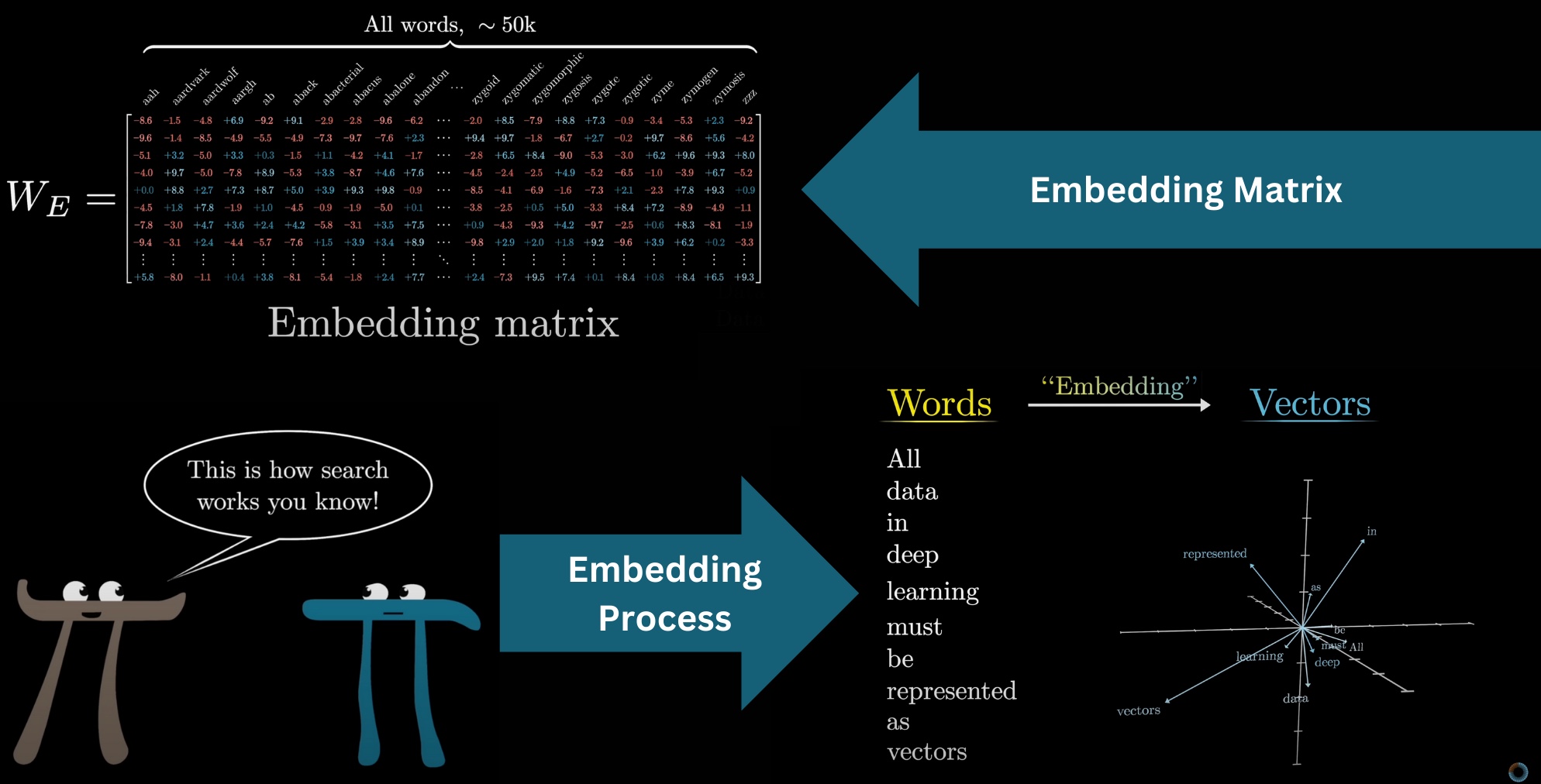
  • πŸ”’ Tokens are text units (words, subwords) forming the LLM vocabulary (GPT-3: 50k tokens; Claude: speculated ~200k).
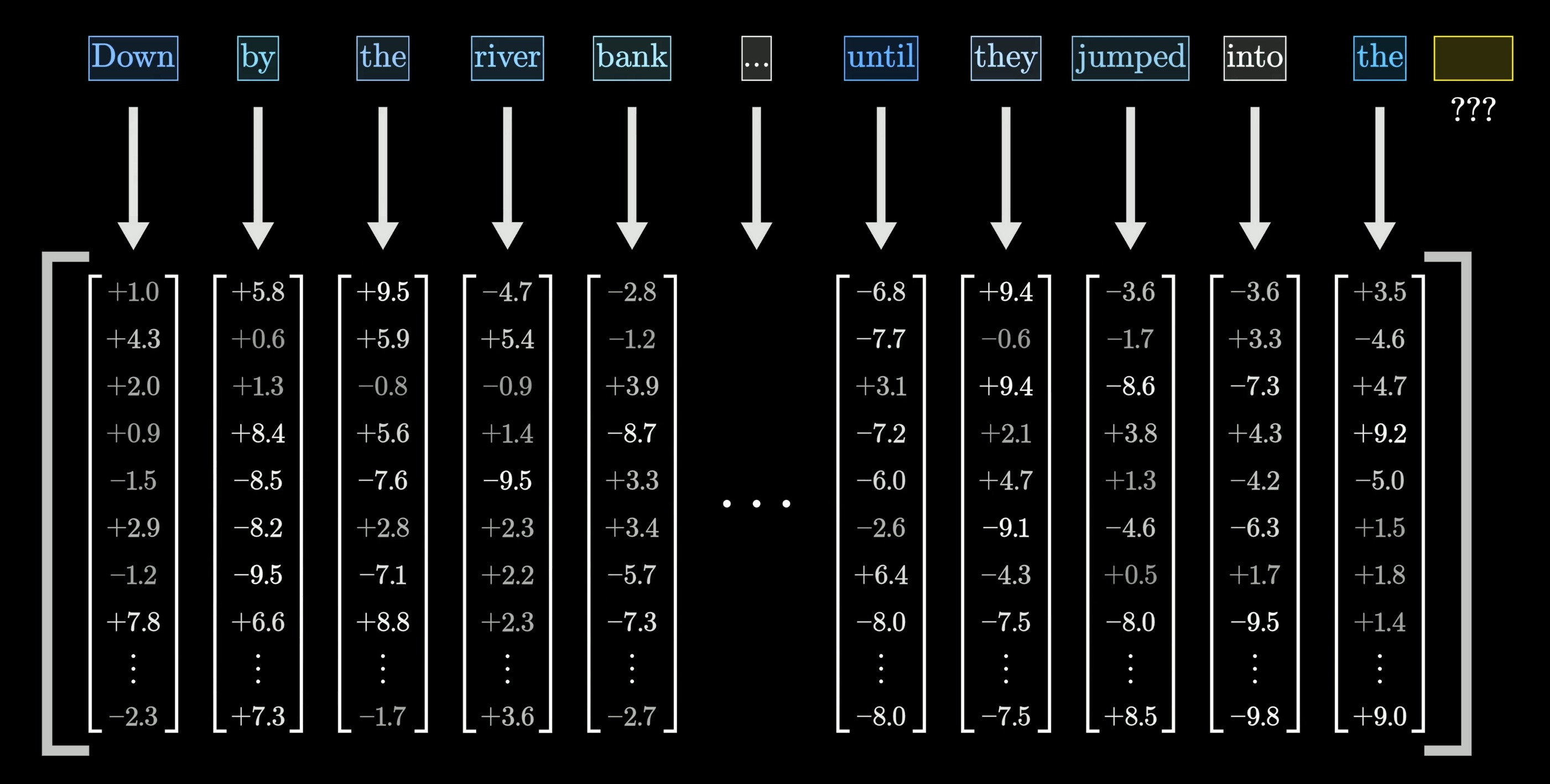
  • 🧠 Each token is embedded as a numeric vector (GPT-3: 12,288 dimensions) β€” a sentence becomes a matrix of vectors.
LLM Training

  • 🧠 LLMs are trained on massive text datasets (GPT-3: ~300B tokens / 570GB; modern models: >15T tokens).
  • The model learns to predict the next token given previous tokens, updating its weights via backpropagation.
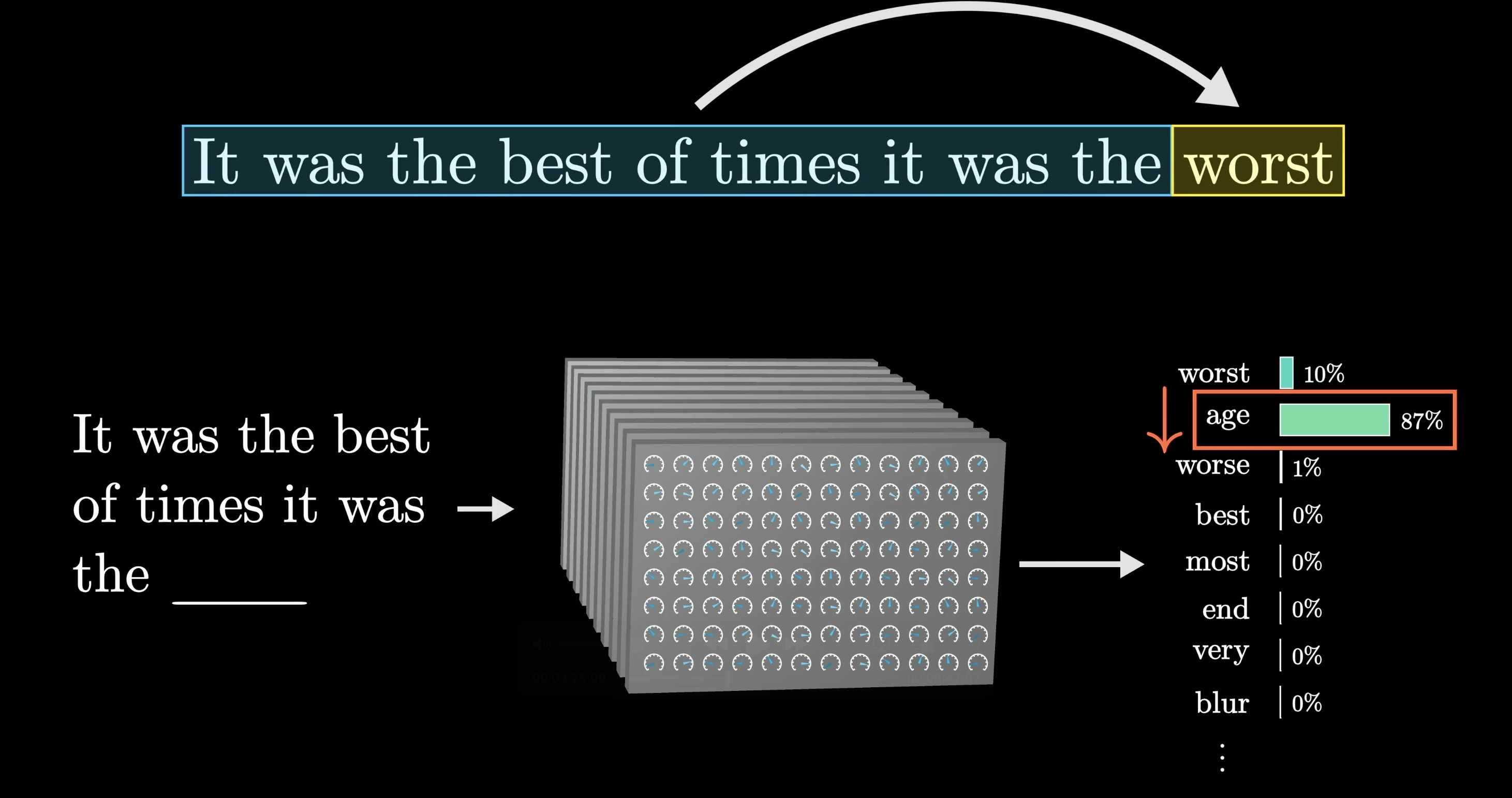
LLM training illustration

Backpropagation illustration

LLMs are probabilistic

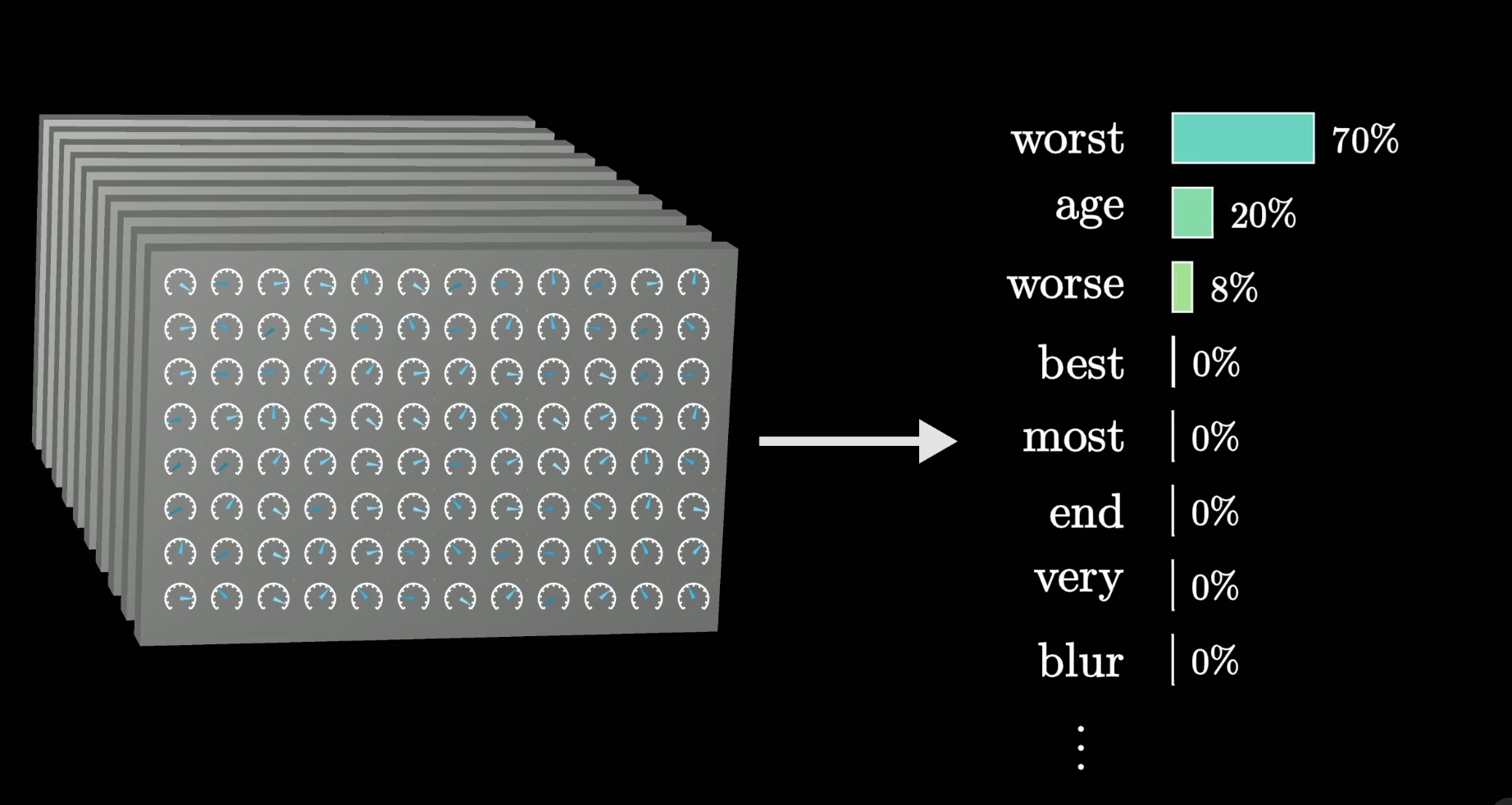
  • LLMs respond with a distribution of likely next words and then sample one using a decoding strategy (e.g., Temperature or Top-k sampling).

Next-token prediction example

LLMs are context-dependent

  • Responses depend on the context of the prompt.
  • Context size and quality affect accuracy.
  • Claude Sonnet/Opus: 64k–2M token context window (GPT-3 had 8k).

Context-dependent LLM prediction

LLM inference

  • The process of generating responses based on the input prompt, which contains all the context.

LLM inference diagram

Hallucinations

Hallucinations occur when an LLM generates text that is fluent, confident, and wrong. Common causes: insufficient or irrelevant context, training data biases or gaps, and over-generalization of learned patterns.

Hallucination patterns

  • Fake citations
  • Wrong but close facts
  • Entity blending
  • Overconfident extrapolation: correctly reasoning partway through a problem, then guessing the rest as if it were known.
  • Recency failures

Mitigation:

  • Provide more context.
  • Ask for step-by-step reasoning.
  • Verify with external sources.
  • Use fresh agents to fact-check and verify results by re-reading sources.

Day 2 outlook: Agents, tools, and skills

We will focus Day 2 on advanced AI features that enrich context and mitigate hallucinations:

  • πŸ”§ Tools β€” connect LLMs to your file system, APIs, applications, databases, and the Internet.

  • πŸ“ Prompt files and custom instructions β€” pre-load specific context and steer or template LLM responses.

  • πŸ—ΊοΈ Plan mode β€” break down complex tasks into smaller steps, discuss implementation with the LLM, and execute an actionable plan.

  • 🧩 Skills β€” knowledge that AI plugs into context when it encounters a specific problem.

  • πŸ€– Agents β€” AI-driven programs that autonomously execute tasks by orchestrating tools, skills, and APIs sequentially.

Would you like to read/watch more about LLMs?

Check out: